Flexible order management: Edit, replace, cancel and track

Talk to a fulfillment consultant today
Updated 2026
Flexibility is built into how you manage ecommerce fulfillment orders. These features let you correct addresses, replace orders, request cancelations, switch shipping modes, and follow each order’s history in one place.
Notes and attachments
Attach documents to an order from the order page. Add Attachment allows you to upload shipping labels, FBA labels, BOLs, and any other documents the order needs. Your team and ours can both add files, and each one shows up on the order with a timestamp. Notifications tell you who added it, so everyone works from the same documents and gets answers faster.
Replacement orders
Get a replacement order on its way fast. From Order Actions, brands can create a replacement for any shipped order, or for one that’s been in Awaiting Carrier. Flowspace pre-fills the form with the original order’s details, so you can review, adjust, and submit instead of rebuilding the order from scratch.
The replacement links back to the original, and the original links to the replacement, so you always have a clear trail. Once you submit, the order goes straight to the warehouse, with no need to wait for the order issue to be processed.
Order edits and cancelation
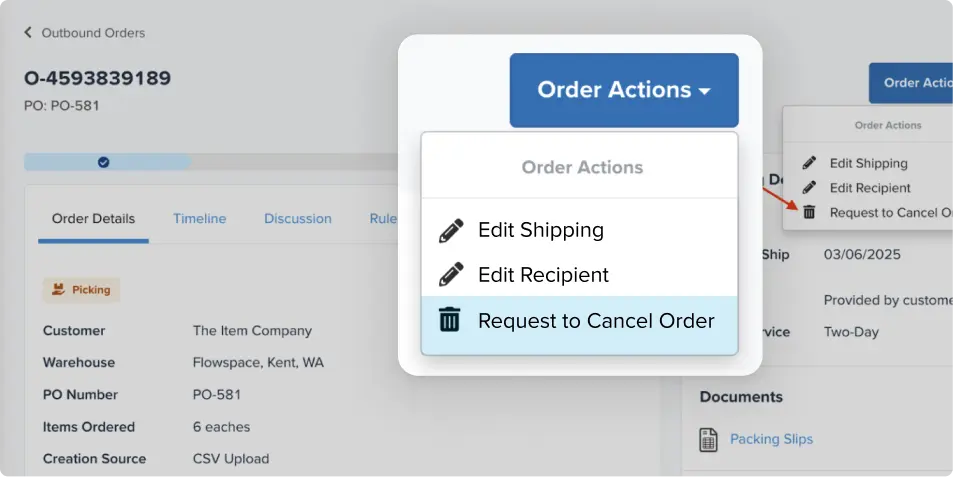
After fulfillment begins, you can still edit the shipping address or shipping preferences while an order is in Picking or Picked. Flowspace validates address changes, and freight edits re-trigger freight quoting. To cancel, choose Request to Cancel Order from Order Actions. A banner shows the cancelation as pending until the warehouse moves the inventory and the order cancels. Cancelation is available before packing, and changes to items and quantities aren't available once an order is being processed.
Order timeline
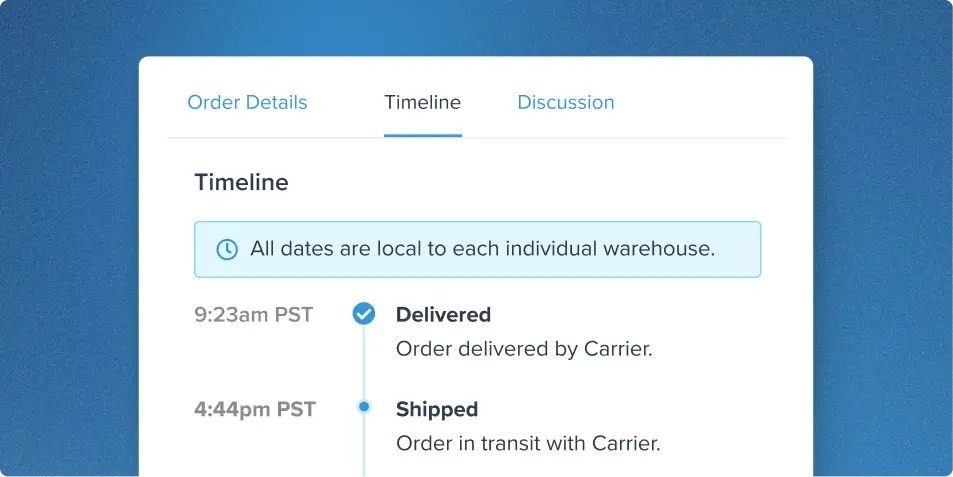
See the whole story of an order in one place. The Order Timeline lays out each order’s events in chronological order, including status changes like Packed, Awaiting Carrier, and Shipped, with dates and times in the relevant warehouse’s local time.
It also records when tags or attachments are added or removed, and who made the change. When a question comes up, you can troubleshoot, confirm status, and see who did what without piecing details together from different parts of the platform.
Transportation mode updates
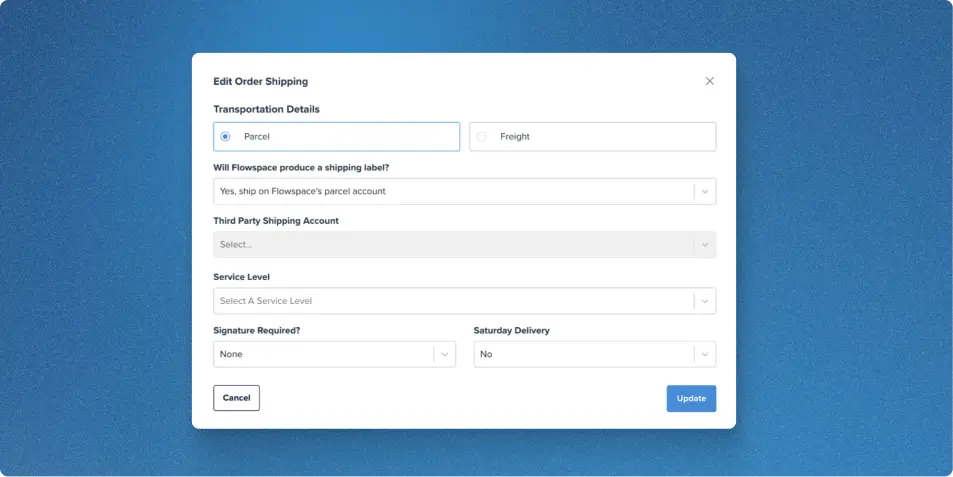
Switch an eligible order between Parcel and Freight directly from the order page while the order is in the Picking or Picked stage, without reopening or canceling it.
This feature supports B2B situations where you need flexibility—such as a buyer changing the shipping method, a carrier being unable to accommodate pickup, or the order exceeding parcel limits. If the order requires SPS/Retailer UCC labels, Flowspace automatically regenerates the appropriate documents, and the transportation-mode change is recorded in the order history.
Together, these updates give you room to adapt, whether you're correcting an address, replacing an order, or changing how it ships.
Want more control over every order? Speak to a fulfillment expert and see these tools in action.
Last Updated
Category
More product updates
Start simplifying fulfillment with Flowspace today
Discover how Flowspace can simplify fulfillment and help your brand scale faster, with no long-term contracts or hidden commitments.
