FlowspaceAI: AI-powered fulfillment tools

Talk to a fulfillment consultant today
Updated 2026
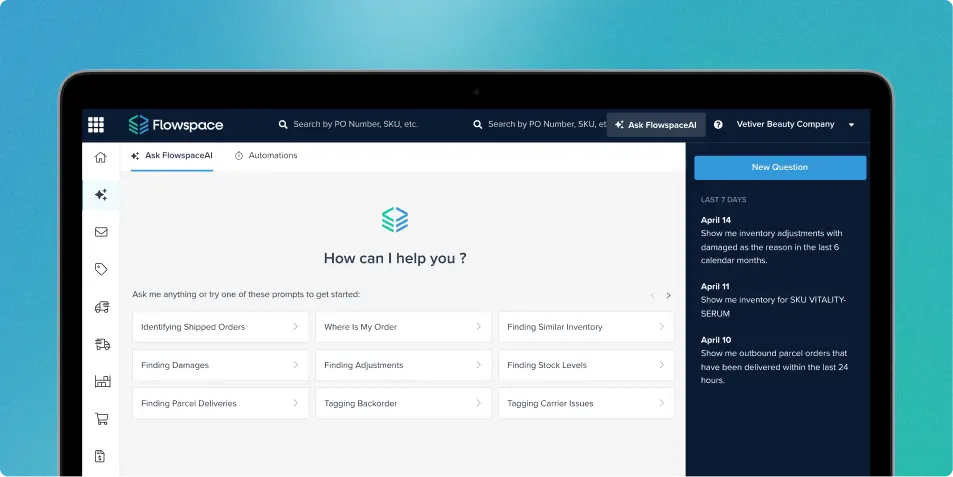
FlowspaceAI brings AI-powered ecommerce fulfillment to your orders and inventory. Ask in plain language, get answers from your own fulfillment data, and take simple actions on what you find. Tracking down an order, a delay, or a low-stock SKU shouldn’t mean building a report first.
What you can ask FlowspaceAI
FlowspaceAI has context on your inbound orders, outbound orders, parcel shipments, inventory counts, inventory adjustments, and tags. Start from the prompt library, click a prompt, and edit the details to fit your question, or type your own. Popular starting points include:
- Where is my order?
- Which shipments are delayed?
- Where is damaged inventory?
- What are my current stock levels?
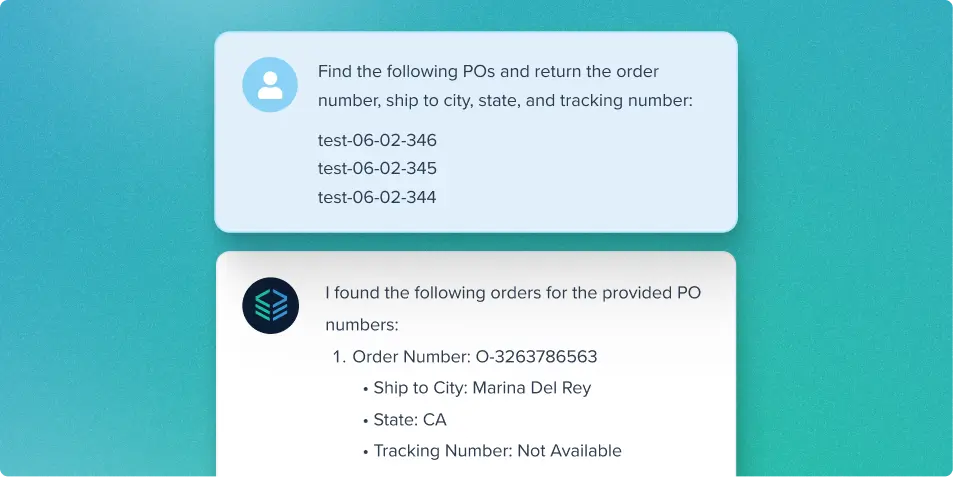
Every result comes back as a data table you can download to dig deeper.
Use AI to take action on your fulfillment operations
FlowspaceAI doesn’t stop at answers. Ask it to place orders on hold or add tags to orders, and it confirms the request with you before it acts. The prompt library even includes ready-made prompts for tagging backorders and carrier issues.
Customize the fulfillment data you analyze
You can refine the data FlowspaceAI returns by specifying the customers, warehouses, channels, SKUs, statuses, date ranges, or other supported filters you want to examine. You can also download the resulting data table for additional analysis.
Get better answers from FlowspaceAI
A few habits make a big difference:
- Name the status you want: Asking for “orders in Needs Action status” is more precise than asking for “orders in Needs Action.”
- Add a date range: “Orders containing SKU 12345 created in the last 30 calendar days” is more precise than asking about all orders containing that SKU.
- Avoid ambiguous wording: State whether you want current status, a status history, a shipment event, or a date-based result.
- Break large requests into steps: Ask FlowspaceAI to find the relevant orders first, then ask it to add a tag or place them on hold.
- Check the filters and result limits: Results may be limited for performance reasons, so review the applied filters and confirm that the returned data covers the scope you intended.
- Rate the answer: Use the thumbs-up or thumbs-down controls to provide feedback on the response.
Curious how AI can support your daily fulfillment operations? Reach to our team to see FlowspaceAI in action.
Last Updated
Category
More product updates
Start simplifying fulfillment with Flowspace today
Discover how Flowspace can simplify fulfillment and help your brand scale faster, with no long-term contracts or hidden commitments.
